Why Use a Temporary Email for LinkedIn Profiles
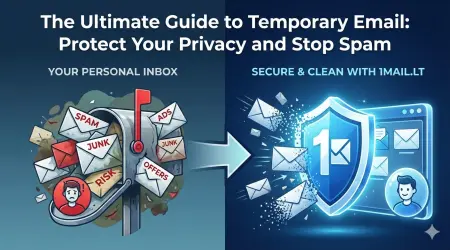
Creating a secondary LinkedIn profile for recruiting research or testing features often leads to immediate privacy risks. When you sign up with your personal address, you expose your real identity to potential scams, spam bots, and unwanted recruiter noise. Using a temp mail for LinkedIn allows you to maintain a clean separation between your professional identity and your experimental accounts.
This approach is essential for anyone who wants to verify account features, test new UI updates, or manage multiple recruiting campaigns without cluttering their primary inbox. By utilizing a disposable email address, you ensure that your main contact information remains secure while you explore the platform's capabilities.
How to Create a Test Profile Safely
The process of setting up a secondary account is straightforward when you have the right tools. First, visit our service to generate a fresh, unique email address instantly. This temporary address acts as a buffer between your real identity and the LinkedIn platform, ensuring that no personal data is compromised during the registration process.
Once you have your temp mail ready, copy the address and paste it into the LinkedIn sign-up form. Complete the standard registration steps using this disposable address. You will receive a verification code at your temporary inbox, which you can read immediately without waiting for an external email client. This method guarantees that your primary email inbox stays free of promotional content and security alerts related to your test account.
Managing Spam and Security Risks
LinkedIn, like many professional networks, can be a source of unsolicited messages if your profile is flagged as suspicious or if you engage in bulk recruiting activities. A disposable email service helps mitigate these risks by isolating the account. If the account receives a warning or is eventually banned, your real email address remains untouched and safe.
Furthermore, temporary emails prevent your real address from appearing in public search results or third-party data scrapers. When you use a temp mail for LinkedIn, you reduce the digital footprint associated with your secondary profile. This is particularly useful for researchers who need to analyze data without leaving a permanent trace or for recruiters who want to test outreach strategies without spamming their own contacts.
Best Practices for Temporary Account Usage
To get the most out of a temporary email address, follow these specific guidelines:
- Generate a new temporary email for each distinct test project or research phase.
- Never log into a temporary email account from a public computer without clearing your browser cache afterward.
- Use the disposable address only for non-critical interactions, such as verifying sign-ups or receiving one-time codes.
- Monitor the temporary inbox regularly to retrieve verification links before the session expires.
- Dispose of the email address once the test profile is no longer needed.
These steps ensure that your privacy remains intact while you conduct your professional research. By adhering to these practices, you can confidently use secondary accounts without fear of identity theft or data leakage.
Conclusion
Protecting your digital identity is crucial in the modern professional landscape. Using a temporary email service offers a practical solution for those who need to expand their LinkedIn presence without compromising their security. Whether you are a recruiter testing new sourcing methods or a researcher analyzing network dynamics, a disposable email provides the necessary anonymity.
Take control of your online privacy today. Generate your free temp email now and start creating safe, secure test profiles on LinkedIn immediately.