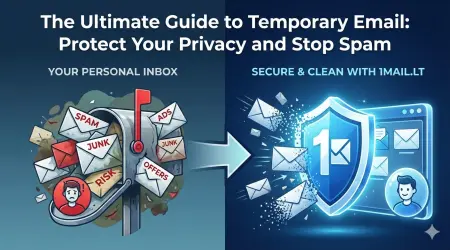
Signing up for an Apple TV+ free trial often leads to a flood of promotional emails and verification requests that clutter your primary inbox. Many users worry about sharing their personal address with streaming services that may sell data or send unwanted newsletters. The solution is simple: use a temp mail for Apple TV to create a disposable address that handles these communications safely without exposing your identity.
Why Use a Temporary Email for Streaming Services
Streaming platforms like Apple TV+ frequently require email verification to activate accounts or claim promotional credits. When you provide your real email address, you risk receiving marketing materials from the service itself, as well as potential phishing attempts from third parties. A temporary email address acts as a shield, ensuring that any notifications, password resets, or trial expiration reminders are sent to a separate, throwaway address.
Using a temp mail for Apple TV allows you to enjoy the benefits of the free trial without the long-term commitment of managing a new inbox. Once the trial period ends or you decide to cancel the subscription, you can simply discard the temporary email address. This approach keeps your main email address clean and secure from potential spam campaigns.
How to Generate a Disposable Email Address
Creating a temporary email address is a quick process that takes less than thirty seconds. You do not need to download any software or register for an account. Simply visit our website and let the system generate a unique address for you instantly.
The interface is designed for ease of use, displaying your new email address prominently on the screen. You can copy this address and paste it into any sign-up form that requires an email address. The system will automatically monitor the inbox for any incoming messages, allowing you to read verification codes or trial confirmation emails immediately.
Step-by-Step Guide to Signing Up
Follow these concrete steps to successfully sign up for Apple TV+ trials using a disposable email:
- Open your web browser and navigate to the temporary email service page.
- Wait a few moments for the system to generate a unique, random email address for you.
- Copy the generated address and paste it into the email field on the Apple TV+ sign-up page.
- Complete the registration process by entering your password and creating an Apple ID.
- Check the temporary inbox for the verification email and click the confirmation link.
Once the verification email arrives, your account will be active, and you can start streaming content immediately. If you do not receive the email, simply refresh the inbox page to load the latest messages.
Managing Your Temporary Inbox
After signing up, you will have access to a functional email interface within your browser. This interface allows you to view incoming messages, delete unwanted emails, and manage your temporary address. You can switch between different temporary addresses if you are signing up for multiple services simultaneously.
It is important to remember that temporary email addresses are not intended for long-term use. If you lose access to the temporary inbox or the address expires, you will lose access to any accounts created with that address. Therefore, it is best to use this method only for one-time sign-ups, such as claiming free trial credits or registering for limited-time offers.
Security and Privacy Benefits
Using a disposable email address significantly reduces the risk of your personal data being compromised. Since the temporary address is not linked to your real identity, any data breaches or leaks from the streaming service will not impact your primary account. This is particularly useful when signing up for services with uncertain privacy policies.
By keeping your real email address private, you maintain control over your digital footprint. You can avoid receiving unsolicited marketing emails, phishing attempts, and spam that often target users who have shared their contact information online. The temporary email serves as a disposable layer of protection that disappears once you are done with the task.
To get started with protecting your privacy today, visit our service and create a new address instantly. Generate your free temp email now and experience the convenience of disposable email for all your streaming needs.