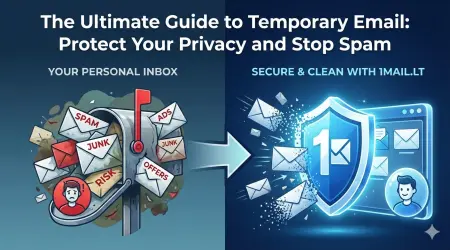
Signing up for Wish often feels like a gamble. You get a great deal on an item, only to be bombarded by promotional emails, password reset requests, and marketing blasts that clutter your primary inbox. This aggressive email marketing strategy makes it difficult to find important messages while wasting valuable storage space. The solution is simple: use a temp mail for Wish to create a barrier between your personal data and their marketing machine.
Why You Need a Temporary Email for Wish
Wish is known for its high volume of promotional content. Once you create an account, you can expect to receive numerous newsletters, app push notifications, and special offer emails. These messages often contain affiliate links or requests to upgrade your account, which can be intrusive. By using a disposable email address, you maintain control over your digital footprint. You can enjoy the shopping experience without the stress of managing unwanted notifications. A temp mail for Wish ensures that your real email address remains private and free from clutter.
How to Set Up Your Temporary Inbox
Setting up a temporary email address is a quick process that takes less than a minute. You do not need to download any software or register with your personal details. Simply visit the service provider to generate a unique address instantly. This new address functions exactly like a standard email account but disappears after a set period. It is the perfect tool for one-time sign-ups. You can copy the address and paste it into the Wish registration form immediately.
Step-by-Step Guide to Signing Up Safely
Follow these steps to secure your account and avoid spam:
- Open your web browser and navigate to the temporary email service.
- Click the button to generate a fresh, random email address.
- Copy the new address to your clipboard.
- Paste the address into the email field on the Wish sign-up page.
- Complete the registration using the verification code sent to your temp inbox.
- Once verified, you can delete the temporary address if you wish.
Managing Your Inbox Effectively
After signing up, monitor your temporary inbox for the verification email. This is the only email you need to check for the initial setup. Once your account is active, you can ignore the rest. If you receive a welcome email or a coupon code, you can use it and then discard the address. This method prevents your real inbox from being flooded. It is a highly effective strategy for online shoppers who value their privacy.
Protecting Your Personal Data
Sharing your real email address with every online store increases the risk of data breaches. If Wish suffers a security incident, your primary inbox could be compromised. Using a disposable email minimizes this risk significantly. You can shop with confidence knowing that your personal information is safe. A temp mail for Wish is an essential tool for maintaining digital hygiene. It allows you to browse and purchase without fear of long-term consequences.
Take control of your email today and stop the spam. Generate your free temp email now