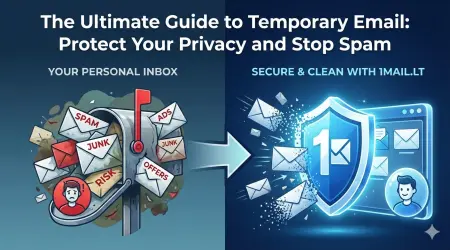
Signing up for Midjourney often feels like a gamble for your primary email address. The platform requires a Discord account, and that Discord account demands an email verification step that can quickly fill your inbox with unwanted noise. By using a temp mail for midjourney, you can bypass this friction point and keep your real identity hidden from the community.
Why You Need a Temporary Email for Midjourney
Midjourney operates strictly within the Discord ecosystem. When you attempt to generate images, you must have an active Discord account. The registration process for Discord typically asks for an email address to send a verification code. If you use your personal Gmail or Outlook, you risk receiving promotional emails, security alerts, and potential spam from the Midjourney service. A disposable email address solves this by providing a unique identifier that expires after use, ensuring your main inbox remains clutter-free.
Furthermore, using a temp mail for midjourney adds a layer of privacy. You do not need to worry about your personal data being associated with a specific AI art generation service. This is particularly important if you are testing the service to see if it fits your workflow before committing to a subscription. You can experiment with different prompts and styles without the fear of your account being compromised or your email address being leaked.
Step-by-Step Guide to Creating a Test Account
Creating a safe testing environment is straightforward when you have the right tools. Follow these concrete steps to set up your Midjourney account securely:
- Open your web browser and navigate to the disposable email service homepage.
- Click the button to generate a new, random email address instantly.
- Launch the Discord application on your computer or mobile device.
- Click the plus sign to create a new account and enter your new disposable email address.
- Check the temporary inbox for the verification code sent by Discord.
- Enter the code into Discord to complete your registration.
This process ensures that the only address associated with your Midjourney access is the temporary one. Once you have verified your account, you can proceed to the Midjourney Discord server and start generating images immediately.
Managing Your Midjourney Subscription Safely
Once you are inside the Midjourney server, you will likely need to purchase a subscription to unlock higher quality generations and faster speeds. When you enter your payment details, you want to be certain that you are using a secure environment. While the temporary email handles the initial sign-up verification, it is wise to keep your payment information secure as well. Using a disposable email prevents the service from sending you billing receipts or marketing newsletters to your personal address.
If you decide that Midjourney is not the right tool for your needs, you can simply stop using the account. Since the email address is temporary, you do not need to worry about deleting your account to stop receiving emails. The address will eventually expire, and the association with your Midjourney account will effectively be severed from your primary digital footprint.
Conclusion
Protecting your digital privacy should be a priority whenever you sign up for new services. Using a temporary email allows you to explore Midjourney's capabilities without the long-term commitment of managing a new inbox. Whether you are an artist looking for a new tool or a developer testing APIs, the ability to create a test account safely is invaluable. Stop letting spam clutter your life and start creating with confidence.
Ready to secure your account and avoid spam forever? Generate your free temp email now