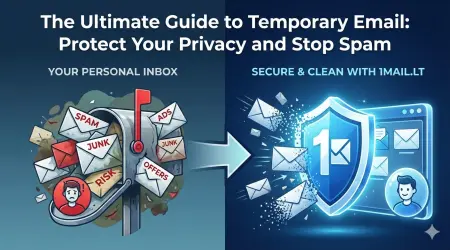
Creating a new Battle.net account often triggers an immediate flood of promotional emails, news updates, and security alerts that can clutter your primary inbox. Many users find themselves overwhelmed by these notifications or concerned about sharing their personal address with major gaming corporations. The solution is simple: utilize a temp mail for Blizzard to generate a disposable address that handles all this communication without compromising your main identity.
Why Use a Temporary Email for Battle.net?
When you sign up for any online service, you are essentially handing over a piece of your digital identity. For gamers, this often means linking your account to your personal email where you receive everything from banking alerts to work correspondence. Using a temp mail for Blizzard allows you to separate your gaming life from your professional or private life. This separation ensures that your real email address remains hidden from potential data breaches or phishing attempts associated with gaming platforms. Furthermore, temporary addresses are designed to be short-lived, meaning you do not have to worry about managing an email account that you will never use again.
Protecting Your Personal Data
Privacy is a significant concern for many internet users today. By utilizing a temporary email service, you significantly reduce the risk of your personal information being exposed. If the gaming platform suffers a data leak, your temporary address is the only thing that is compromised, not your primary contact information. This is particularly important for gamers who value their anonymity or wish to keep their real identity separate from their online personas. The service provides a layer of security that standard email providers cannot offer on their own.
How to Create a Battle.net Account with a Disposable Address
Setting up a new account is a straightforward process when you have the right tools. The steps below will guide you through creating a secure Battle.net profile using a temporary email service. Follow this guide to ensure a smooth registration process without the hassle of managing a new permanent inbox.
- Open your preferred web browser and navigate to the temporary email service website to generate a new address.
- Copy the unique temporary email address displayed on your screen.
- Go to the official Battle.net website and click on the 'Sign Up' or 'Register' button.
- Enter your desired username and create a strong, secure password.
- Paste the temporary email address into the 'Email' field during the registration process.
- Check the temporary inbox on the website for the verification code sent by Battle.net.
- Copy the verification code and paste it into the Battle.net registration window.
- Complete the remaining steps to finalize your account creation.
Managing Your Verification Code
One of the most common issues users face is not receiving the verification email. Since the temporary email is generated specifically for this task, it will receive the code within seconds. If the code does not appear immediately, check the spam folder of your temporary inbox or refresh the page. Once you have the code, you can safely close the temporary email tab once the account is verified. There is no need to keep the temporary address active after the sign-up is complete.
Benefits of Staying Anonymous Online
Many gamers prefer to keep their real names and contact details private. Using a disposable email service supports this preference by acting as a buffer between you and the service provider. This anonymity extends to other areas of gaming, such as forums, chat rooms, and social media platforms linked to your account. By avoiding the use of your real email, you prevent unsolicited marketing messages and potential scams from reaching your primary inbox. It is a simple habit that can save you hours of time spent deleting spam emails.
Security Best Practices
While temporary emails are convenient, it is important to follow security best practices. Always ensure you are on the official Battle.net website when entering your details. Never share your temporary password or verification codes with anyone. Remember that temporary emails are best for one-time verification or short-term account usage. For critical accounts like banking or government services, always use your real email address. However, for gaming platforms where data loss is less catastrophic, a temp mail for Blizzard is an excellent choice.
Frequently Asked Questions
Is a temporary email safe for gaming accounts?
Yes, as long as you use the address only for the initial sign-up and verification. Once the account is created, you can choose to keep it or discard it. The address is not linked to your real identity, making it a safe option for disposable purposes.
Can I recover a Battle.net account using a temp email?
It is not recommended to use a temporary email for account recovery. If you lose access to the temporary address, you will lose access to your Battle.net account. Always use a permanent email for long-term account management.
Does the temporary email expire? Yes, temporary emails are designed to expire after a certain period of inactivity. This feature ensures that your privacy is maintained over time. Once the email expires, any emails sent to it will no longer be accessible.
Conclusion
Maintaining a clutter-free and secure email inbox is essential for a pleasant gaming experience. By using a temp mail for Blizzard, you can enjoy the benefits of a new account without the drawbacks of spam and data exposure. The process is fast, free, and requires no commitment to a permanent email address. You can focus on playing your favorite games while your privacy remains intact. If you are ready to secure your next gaming account, take action now.
Click the link below to get started immediately: