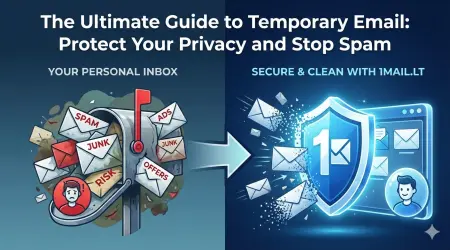
Signing up for social media platforms often feels like a gamble with your personal data. When you create an account on Twitter, now known as X, you are frequently prompted to enter your real email address, which immediately exposes you to marketing spam, potential data breaches, and unwanted account recovery attempts. This is where a temp mail for twitter becomes an essential tool for anyone who values their digital privacy and wants to maintain control over their inbox. By using a temporary email address, you can bypass these security hurdles without compromising your identity or inviting unnecessary clutter into your primary mailbox.
Why Use a Temporary Email for X Accounts
Twitter is a public square, and public platforms often attract aggressive marketing bots and security notifications. When you provide your genuine email address during the registration process, you are effectively handing over a key to your digital identity. If your account is compromised later, the attacker gains access to your recovery email, which could lead to the loss of your account or the theft of your personal information. Furthermore, the verification emails and password reset links sent to your real address can be intercepted or lost if your inbox is full of promotional noise.
A disposable email service solves these issues by providing a unique, forwardable address that exists only as long as you need it. This method ensures that your primary email remains untouched by X's notification system. You can receive the verification code, confirm your identity, and then discard the temporary address once the account is active. This strategy is particularly useful for users who want to test the platform, engage in niche communities, or simply enjoy the anonymity that a temporary identity provides.
How to Generate a Safe Email Address
Creating a secure disposable email address is a straightforward process that takes only a few seconds. You do not need to register for a new account or provide any personal information to the temporary email provider. Instead, you simply visit the service to generate a fresh address instantly. This new address acts as a buffer between your real identity and the social media platform you are joining. It allows you to interact with the public sphere without the fear of long-term consequences associated with data leaks.
Once you have your temporary address, you can copy it and paste it into the Twitter signup form. The platform will treat this address exactly like a standard email address, sending the verification link to the temporary inbox. You can then click the link, which usually opens directly from the temporary email interface, to complete the registration. This seamless process ensures that you never have to worry about losing access to your verification codes or dealing with spam filters that might block legitimate messages.
Steps to Sign Up for Twitter with a Disposable Email
- Open your web browser and navigate to the temporary email service to generate a new address.
- Copy the unique email address displayed on your screen.
- Go to the Twitter signup page and enter your username, password, and the copied temporary email address.
- Check the temporary inbox for the verification email from Twitter.
- Click the verification link to activate your account without exposing your real email.
Maintaining Privacy After Registration
After successfully creating your account, you might wonder if you need to keep the temporary email active. Generally, once the account is verified, you can stop using the disposable address. The account is now linked to your chosen username and password, and the verification step is complete. However, if you plan to change your email address later, you can generate a new temporary one and update the settings in your account preferences. This flexibility is one of the main advantages of using a service dedicated to disposable emails.
It is important to remember that while temporary emails protect your primary address, they do not guarantee complete anonymity on the platform itself. You should still avoid sharing sensitive personal details in your public profile. By combining a disposable email with careful profile management, you can enjoy the benefits of social media while keeping your personal data secure. This approach empowers you to navigate the digital landscape with confidence, knowing that your real email address remains safe from unsolicited messages and potential threats.
Take control of your digital footprint today and stop letting marketing bots clutter your inbox. Generate your free temp email now